Prizer Agent is the guided Studio path for turning a plain language idea into a creative setup.
Use this guide when
you know the product goal but do not want to manually choose every workflow, style, and setting first.
Before you start
Have a product image ready in Products or know which image you want to upload. If you need a more structured path, compare the options in Choose the right Studio workflow and Prizer Agent versus the Studio wizard.
Start with Prizer Agent
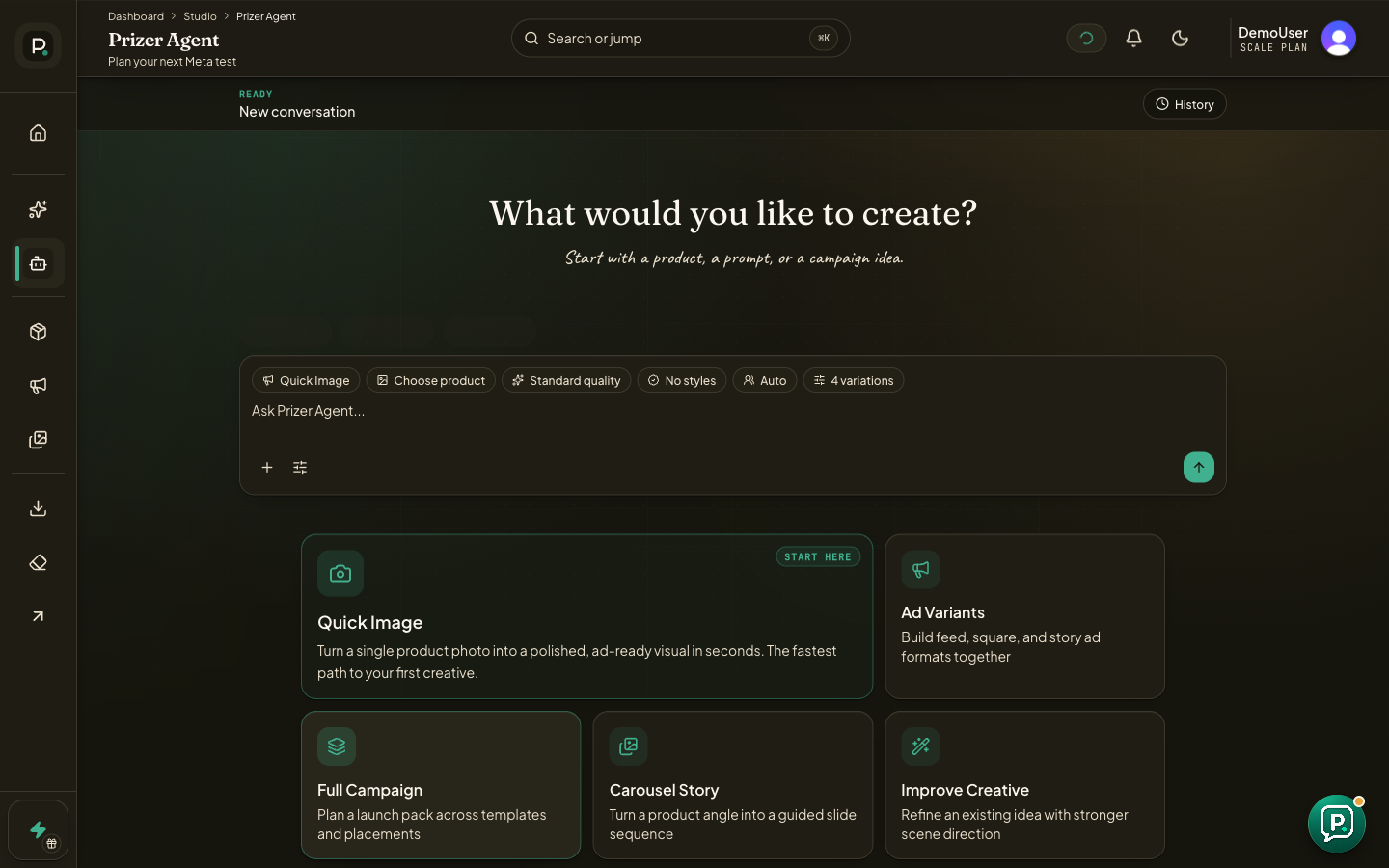
Open Prizer Agent from the dashboard navigation.
Choose a product, quality tier, style direction, and variation count when those controls are visible.
Describe the outcome you want, such as a seasonal Meta test, a clean marketplace image, a carousel story, or a refreshed product angle.
Review the suggested workflow and settings before starting generation.
After the results finish, review them in Studio, My Creatives, or Campaigns depending on the workflow Agent created.
What Agent can help with
Agent can browse product images, recommend presets, explain quality tiers, set people or hands preferences, propose single image batches, propose Studio projects, reuse completed creatives, write free ad copy for finished images, retry failed generations, favorite results, save or load recipes, and explain export paths.
Agent does not publish ads, replace your review step, or delete creatives from chat. Destructive cleanup happens in the relevant UI so you can review the exact items first.
Write a useful agent prompt
Name the product, the audience, the channel, and the creative job. A useful prompt might say that you need a premium skincare hero image for retargeting, or a gift guide carousel for a holiday launch.
Prizer Agent can help structure the setup, but source image quality still matters. If the product is cropped, blurry, or hard to identify, improve the upload before spending credits.
Should I use Agent or Quick Image?
Use Quick Image when you already know the exact scene. Use Prizer Agent when you want help turning a goal into a setup.
