The Studio workspace is where generated work becomes reviewable creative. It is not only a setup screen.
Use this guide when
you have already generated images or a project and want to understand where review, copy, overlays, videos, and exports fit.
What Studio does
Studio connects the source product, generated assets, selected campaign or carousel context, preview frames, copy, overlays, export controls, and related actions in one workspace.
For a quick image, Studio helps you inspect the result and export it. For ad variants or full campaigns, Studio helps you review placements, copy, and composed ad previews. For carousels, Studio helps you work through slides and per-card structure.
Main areas
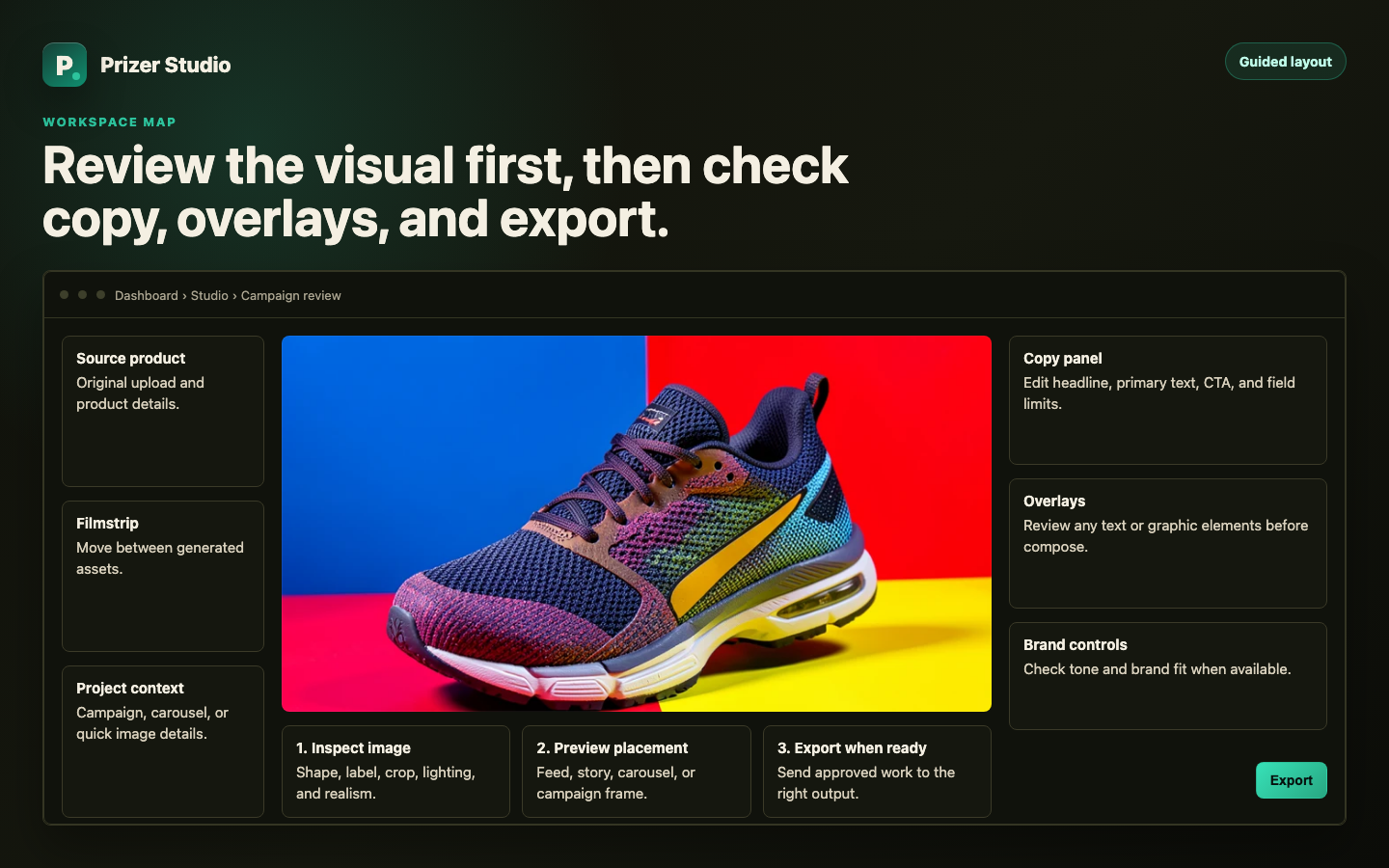
The canvas shows the selected creative or placement preview. The filmstrip or result list lets you move between generated assets. The sidebar panels hold details, copy, overlays, brand controls, and export actions when they apply.
Review workflow
Open a result from Studio, Campaigns, My Creatives, or a project link.
Inspect the image first. Check product shape, label, crop, lighting, and overall realism.
Switch to placement or copy views when the project includes campaign context.
Review generated copy, edit weak fields, and check warnings before composing or exporting.
Use export controls when the asset or campaign is ready for handoff.
What Studio is not
Studio does not replace final platform review. Use Ads Manager, Shopify, Amazon, or your target channel to confirm policy, placement, budget, targeting, and final publishing details.
Some actions depend on project type. A single quick image, a full campaign, a carousel project, and a video can expose different sidebar panels.
Why do I see different controls for different projects?
Studio changes based on the asset context. Campaigns have copy and placement review. Carousels have slide structure. Single images usually focus on image review and export.
