Presets and ad frameworks help you choose the creative job before Prizer creates the image.
Use this guide when
you want more control over the type of ad, hook, scene, or product presentation you are testing.
Before you start
Decide what you want to learn from the next generation. A launch test, retargeting refresh, gifting push, proof angle, and catalog image should not all use the same preset.
If you are planning a structured creative test, see Run structured ad tests with Prizer.
Use the Preset Library
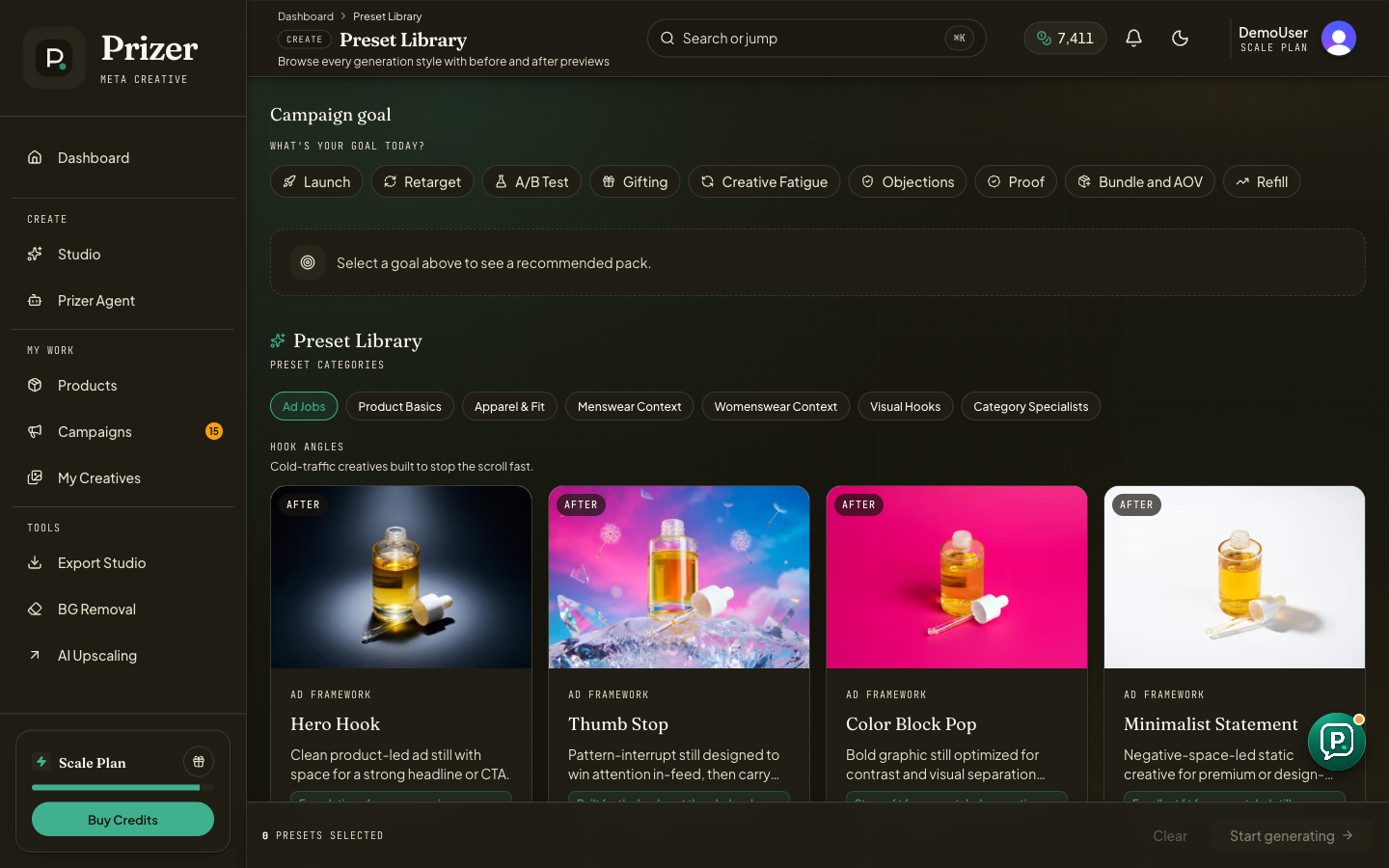
Open Preset Library from the dashboard navigation.
Choose a campaign goal such as Launch, Retarget, A/B Test, Gifting, Creative Fatigue, Objections, Proof, Bundle and AOV, or Refill.
Review the recommended pack when one appears, or browse categories such as Ad Jobs, Product Basics, Apparel and Fit, Menswear Context, Womenswear Context, Visual Hooks, and Category Specialists.
Select the presets that match the job you want to test.
Start generation to open Studio with those presets preselected.
Choose by creative job
Use hook presets when the goal is attention. Use proof and trust presets when credibility matters. Use demo and context presets when the customer needs to understand ownership. Use catalog or product basics when the product needs to stay simple and readable.
Some ad framework selections have quality floors. If Prizer asks you to use a higher quality tier, the preset likely needs stronger product fidelity or placement polish.
Should I select many presets at once?
Select enough to compare distinct jobs, not every style that looks interesting. A smaller set with clear hypotheses is easier to judge than a large mixed batch.
