Full Campaign creates a larger set of creative assets around one product and one campaign goal.
Use this guide when
you need a campaign pack for launch planning, seasonal work, evergreen refreshes, or creative review with a team.
What Full Campaign is
Full Campaign is the broadest Studio workflow. It creates a campaign package around one product, goal, and creative direction rather than one isolated image.
A campaign can include multiple placements, templates, generated images, composed creative previews, editable ad copy, and export handoff options.
What you get
You get a campaign page where images, copy, templates, placement previews, refresh options, and export controls live together. Use Campaigns for review and Exporting creatives when the campaign is ready to hand off.
Before you start
Know the product, campaign goal, audience, offer, and placements you care about. Full Campaign uses more credits than a small test, so use Quick Image or Ad Variants first if the direction is still unclear. For larger batches, review Rolling generation limits by plan.
Set up the campaign
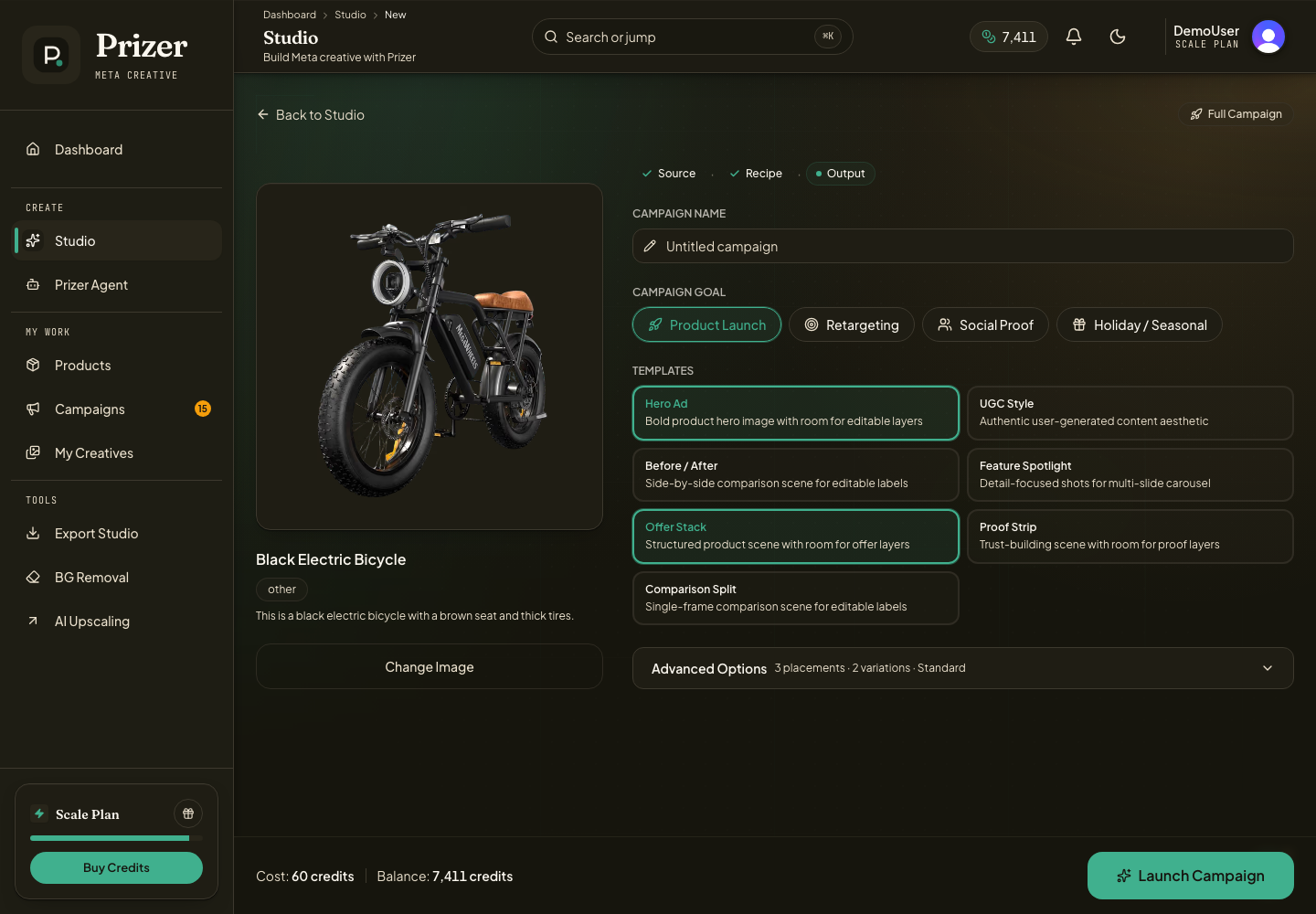
Open Full Campaign from Studio.
Select the product image you want to promote.
Choose the campaign goal, placements, creative templates, quality tier, and variation count.
Review the estimated credit cost before generating.
After generation finishes, open Campaigns to review images, copy, and export options.
When to use it
Use Full Campaign for launch packs, seasonal pushes, refreshed evergreen ads, or broader creative testing. If you only need a few visual directions, use Ad Variants first.
How ad copy fits in
Full Campaign can generate editable ad copy connected to campaign templates. Copy may include headline, primary text, description, CTA, and supporting fields used by campaign preview frames and export CSVs.
Full Campaign can infer copy from the product image and campaign setup, but it performs better when you add product context before generation. Include the audience, offer, main benefit, proof points, product facts, tone, and claim limits if you already know them.
Use How Prizer creates ad copy when you want to understand how copy is generated, reviewed, and exported.
Review before export
Open the campaign detail or Studio workspace to inspect images, copy, placement previews, and any over-limit copy warnings. Export can be blocked until copy or incomplete creatives are fixed.
A campaign pack should give you different ad concepts, crops, and placements. If every result feels too similar, try a clearer goal or a more specific campaign direction before generating again.
Can I export a whole campaign?
Campaign surfaces can hand assets to Export Studio and may include broader handoff options depending on the creative type and selected assets. See Exporting creatives when you are ready to prepare final files.
