Carousel style ads work best when each card keeps the same product identity but gives the viewer a new reason to care.
Use this guide when
you want a swipeable sequence rather than a set of unrelated images.
What Carousel is
Carousel creates a sequence of cards that work together. Each card can show a different product angle, use case, proof point, benefit, or offer while keeping one campaign story.
Carousel is useful when one image cannot carry the full argument. It gives shoppers a reason to keep swiping.
What you get
You get a planned card set with still images and, when available, per-card copy. Carousel assets can be reviewed in Studio and exported for Meta or another platform as separate cards.
Before you start
Pick the story you want the cards to tell. A strong carousel usually moves from product recognition to benefit, proof, use case, or offer.
Build a carousel set
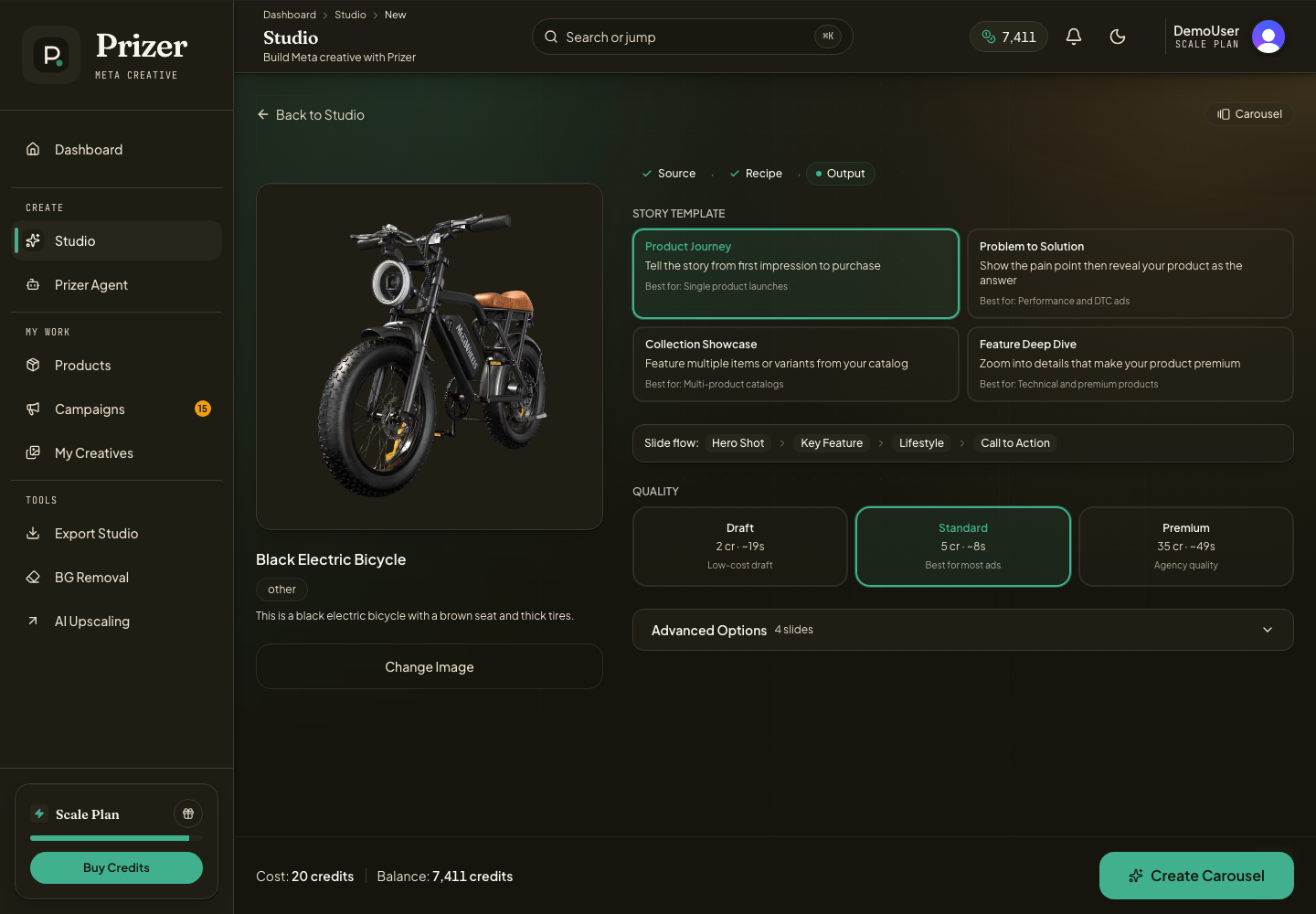
Open Swipeable Story from Studio.
Select the product image you want to use.
Choose a carousel direction, quality tier, and number of cards.
Generate more candidates than you need when possible, then select the strongest sequence.
Export the selected images from My Creatives or Export Studio, then add them to Meta or another ad platform as separate carousel cards. See Exporting creatives for format and size decisions.
When to choose Carousel
Choose Carousel when you need a story, sequence, or comparison. It is strong for explaining product benefits, showing multiple use cases, building gift guides, showing before and after concepts, or pairing a hero card with proof and offer cards.
Choose Ad Variants if the cards do not need to work together. Choose Full Campaign when carousel is only one part of a larger campaign pack.
Pick a useful sequence
A strong four card set might include a hero product image, lifestyle use, benefit focused image, and proof or offer image. Avoid using four images that only change the background.
Copy and export
Carousel copy can be reviewed per card when the project includes copy. For Meta handoff, export the images and use the card order and copy fields as your setup reference. See Import Prizer exports into Meta Ads Manager for handoff guidance.
Prizer provides managed presets and frameworks for common ad styles. Customer created reusable preset libraries are not currently documented as a public self serve feature.
Can I generate exactly four cards?
You can set up carousel output for a target set, but the strongest carousel usually comes from reviewing candidates and choosing the best sequence.
