Ad Variants helps you create multiple marketing angles around the same product. Use it when you want to compare different hooks, benefits, styles, or ad frameworks.
Use this guide when
you want to test several buyer motivations instead of making one image at a time.
What Ad Variants are
Ad Variants are a structured way to generate several ad concepts from the same product. Each variant should test a different reason someone might click, care, or buy.
A good variant set might compare benefit, proof, offer, lifestyle, comparison, or urgency angles. This is different from making several copies of the same scene with small background changes.
What you get
You get a group of related ad image candidates, usually tied to selected presets, frameworks, placements, and optional ad copy generation. Review them in Studio, Campaigns, or My Creatives.
Before you start
Choose the product, audience, and offer you want to test. A useful variant set should compare different reasons to buy, not just different backgrounds. If you only need one direction first, start with Generate a Quick Image.
Build variant angles
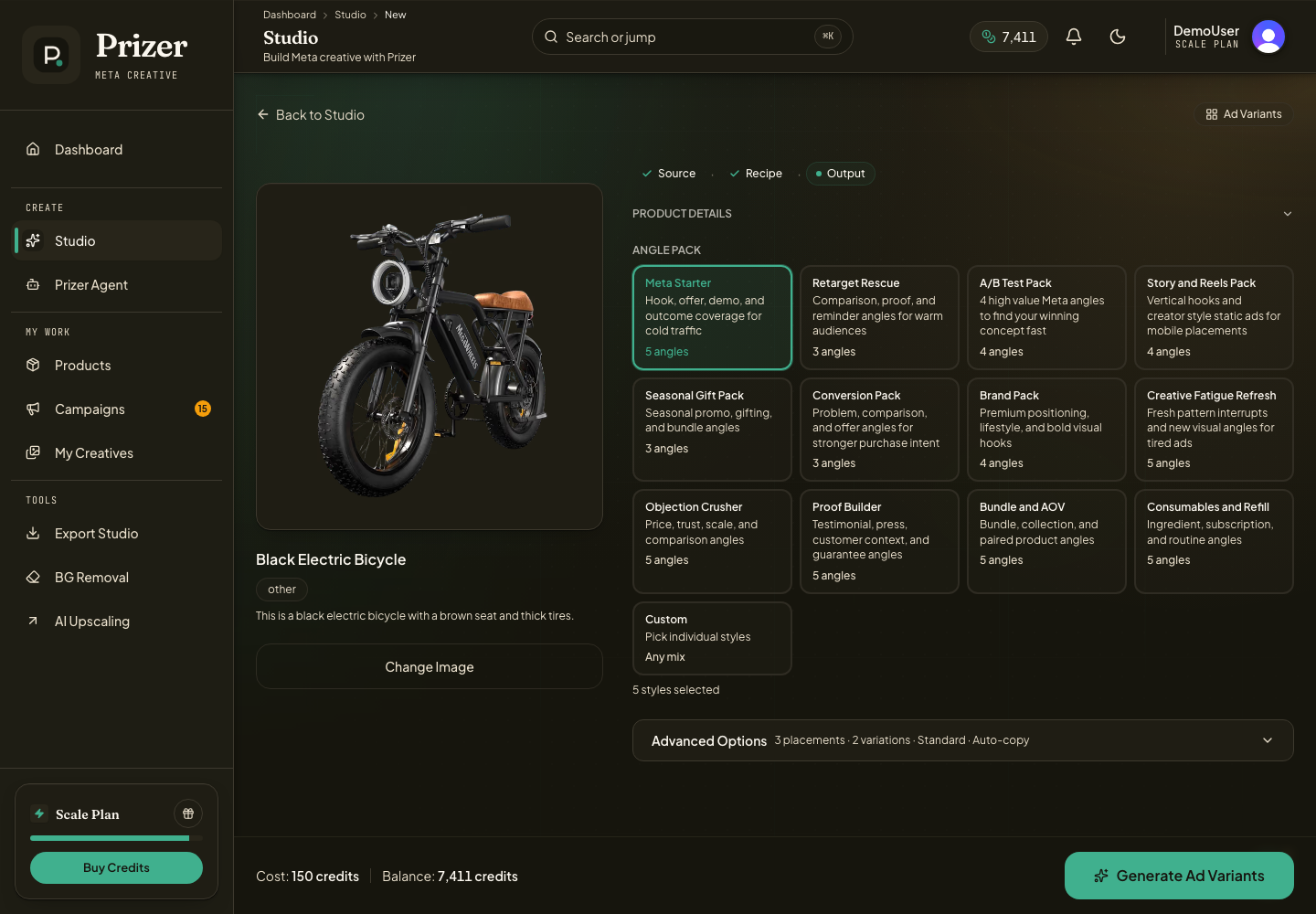
Open Ad Variants from Studio.
Pick the product image or upload a new one.
Choose the ad angles or presets that match your testing goal.
Set the quality tier and number of variations.
Generate the set, then review the results in Studio, Campaigns, or My Creatives.
When to choose Ad Variants
Choose Ad Variants when you want to learn which marketing angle is strongest before making a full campaign. It is a good middle step between one Quick Image and a full campaign pack.
Choose Quick Image when you only need one scene. Choose Full Campaign when you need a more complete launch or refresh package.
How to choose angles
Use benefit angles when the product solves a clear problem. Use lifestyle angles when the customer needs to imagine ownership. Use proof or testimonial style angles when trust matters. Use urgency or offer angles when you are preparing sale creative.
Copy and review
Ad Variants can include copy generation after images are ready. Use the copy as a starting point for headlines, primary text, descriptions, and CTAs. Review copy limits and claims before exporting.
When you want stronger copy, give Prizer more than the product image. Add the buyer type, offer, benefit, proof point, tone, and any claim limits so each variant can test a clearer marketing angle.
Ad Variants work best when each output has a distinct job. Four nearly identical images are less useful than four images that test different buyer motivations.
Are these the same as reusable custom presets?
Prizer includes managed presets and ad frameworks. If you need a reusable custom brand preset library, contact support so we can record the request.
