Prizer ad copy is generated to support the creative asset, campaign template, placement, and product context.
Use this guide when
you want to understand where copy appears, what fields it creates, and how to review it before export.
Where copy is created
Ad copy can be generated as part of Ad Variants, Full Campaign, carousel projects, and Agent requests for copy on a completed image.
Campaign copy usually connects to a template or placement. Standalone Agent copy for one completed image creates written copy without generating new images.
Why product context matters
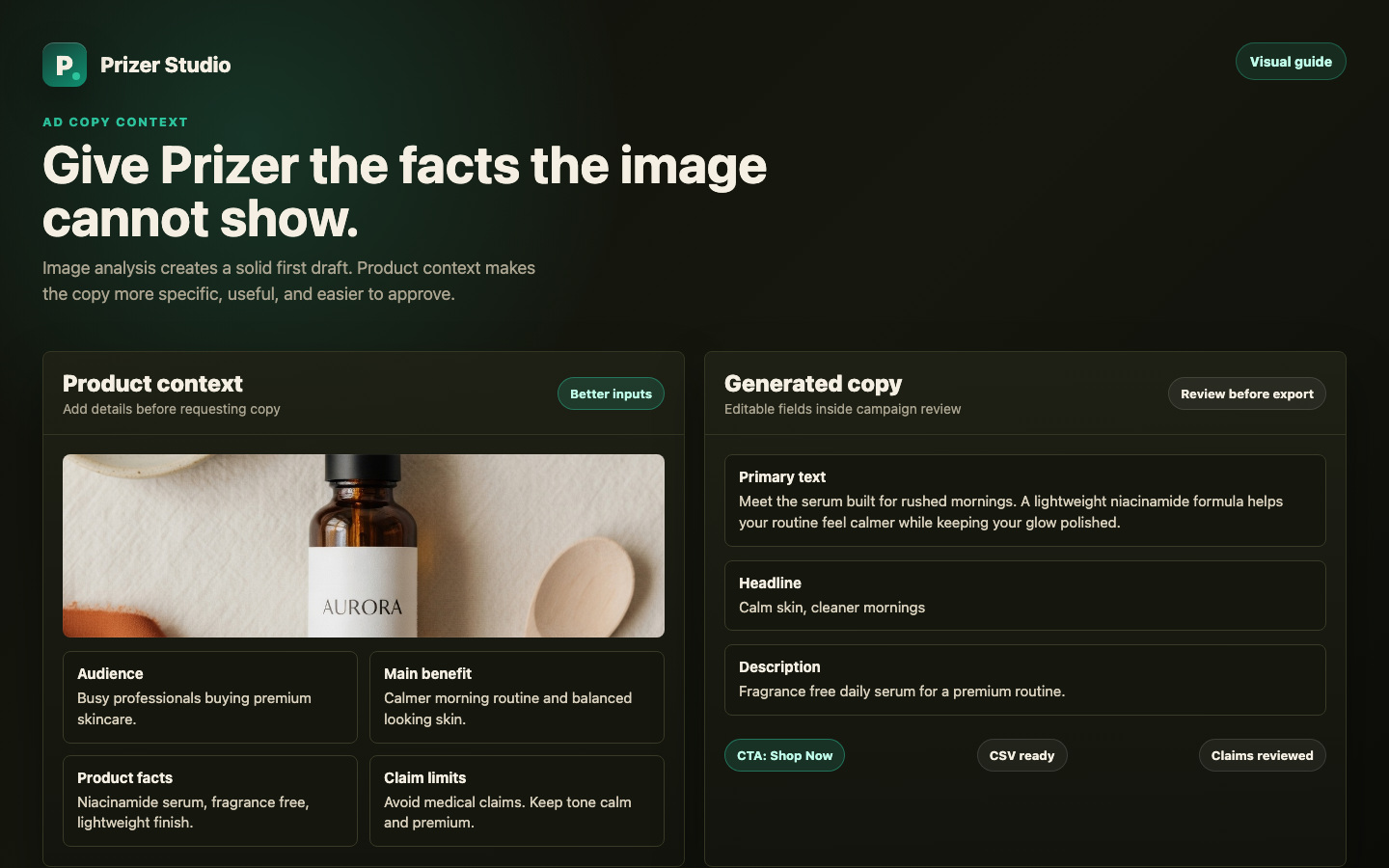
Prizer can analyze the image and create copy from what it sees, including product type, visual style, and the surrounding creative direction. That is enough for a useful first draft, but richer copy comes from details the image cannot show.
Add context when you know the audience, main benefit, offer, ingredients, materials, specifications, price point, brand voice, proof points, objections, claim limits, or landing page angle. These details help Prizer write copy that sounds more specific and less generic.
For example, a plain bottle photo can produce general skincare copy. If you add that the serum is for busy professionals, uses niacinamide, should sound calm and premium, and must avoid medical claims, the copy can focus on the right buyer and stay inside your brand rules.
Common copy fields
Prizer copy can include primary text, headline, description, CTA, offer text, proof points, labels, and other template specific fields. Export CSVs commonly use Body, Title, Link Description, Call to Action, and Image File Name.
Review copy in Studio
Select the asset or template you want to review.
Open the Copy panel when available.
Read the copy in context with the image and placement preview.
Edit claims, tone, CTA, offer details, or over-limit fields before exporting.
Copy compliance and limits
Some fields have platform length limits. If copy is too long or incomplete, compose or export actions can be blocked until the copy is shortened or regenerated.
Copy in exports
When exported assets include ad copy, Prizer can include a matching CSV for manual handoff. The regular copy CSV is a copy reference, not a direct Ads Manager bulk import workbook. See Exporting creatives and Import Prizer exports into Meta Ads Manager.
Written copy versus text in the image
Normal ad copy stays editable outside the image. If you want words rendered into the image itself, use in-image copy only when that option is available and appropriate. Text rendered into pixels is harder to edit later.
Always review generated copy for factual claims, offers, legal language, brand voice, and platform policy before publishing.
Can I regenerate copy without regenerating images?
Yes in supported campaign, carousel, Studio, or Agent flows. Regenerating copy is different from generating new visuals.
