My Creatives is your finished asset library. Use it to find strong results, favorite assets, select groups, and send images into export workflows.
Use this guide when
you want to review, compare, favorite, export, or clean up generated results.
Before you start
If you need campaign context, start with Manage campaigns. If you only need finished assets across workflows, My Creatives is the faster place to search.
If you are building a library of reusable winners, see Organize winning creatives for reuse.
Review finished assets
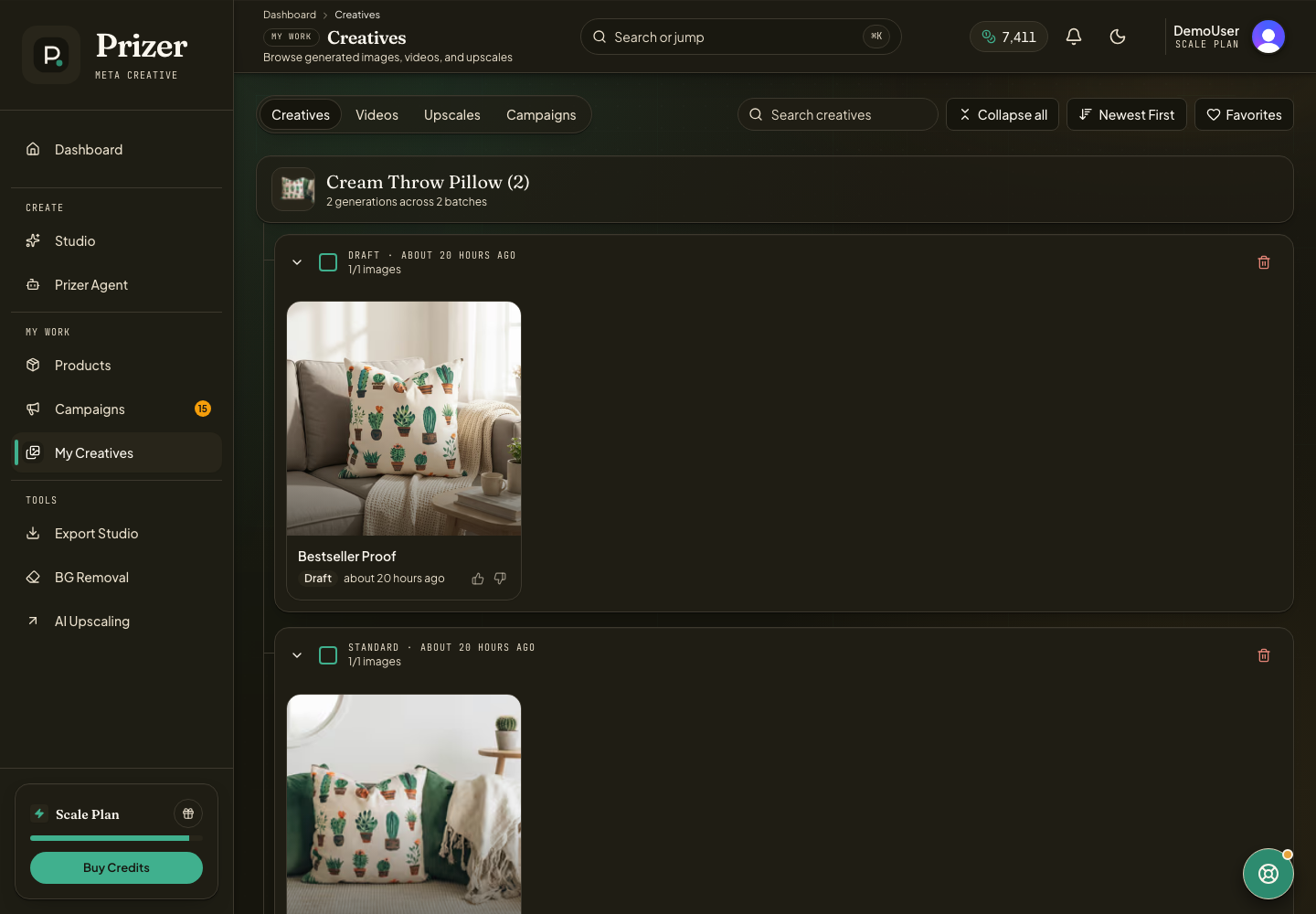
Open My Creatives from the dashboard navigation.
Use tabs, filters, or search to narrow the library.
Open an asset when you need a larger preview.
Favorite strong results so they are easier to find later.
Select multiple assets when you want bulk download, Export Studio, or cleanup actions. Use Exporting creatives when final format, size, or handoff settings matter.
Keep the library useful
Favorite the assets you would actually reuse. Delete failed or irrelevant results only when you are sure you do not need them. Export final files before uploading them to an ad platform or marketplace.
Deleting generated assets can remove them from your library. Credits are not returned just because an image is deleted.
Where should I look for campaign outputs?
Start in Campaigns when you want the campaign context. Use My Creatives when you want to search across finished assets from many workflows.
