Every Prizer workflow starts with a product image. The best uploads show one product clearly, with enough resolution for the details you care about.
Use this guide when
you are adding a product to Prizer for the first time or replacing a weak source photo.
Before you start
Choose a photo where the full product is visible and in focus. Use the largest clean image you have, preferably without hands, props, packaging clutter, or hard shadows blocking the product edges.
Upload from a file or URL
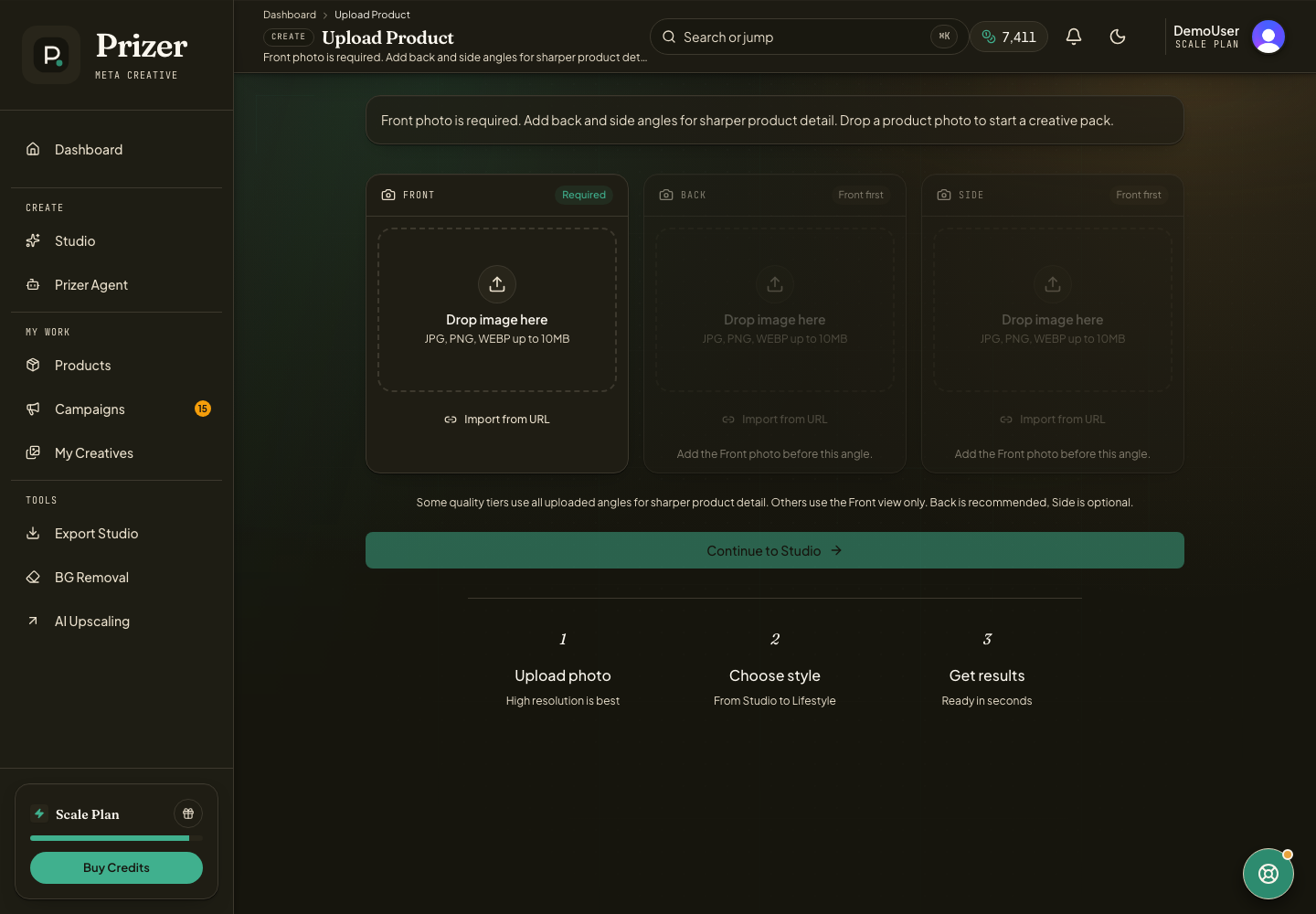
Open Upload Product from the dashboard navigation.
Drop a JPG, PNG, or WebP into the Front slot, or use Import from URL when the image is already hosted online.
Add Back and Side views if you have them. These extra angles are optional, but they are useful for products with distinctive shape, straps, handles, labels, soles, or backs. See Use front, back, and side product views for when extra angles are worth adding.
Wait for the upload to complete before continuing to Studio.
If you imported the wrong image, remove it and upload the correct file before generating.
Source photo checklist
Use a photo where the product is fully visible, in focus, and not blocked by hands, packaging clutter, or heavy shadows. Leave a little space around the product so Prizer can understand the edges. For glossy, transparent, or reflective products, use the cleanest lighting you have. If the original background is the main problem, see Background removal.
If the product is cropped in the source image, Prizer usually cannot reconstruct the missing part reliably. Use another photo before spending credits.
Should I upload lifestyle photos or plain product photos?
Plain product photos are usually safest for the first upload. Lifestyle photos can work when the product is still clearly visible and not tangled with a busy scene.
