Notification settings control which workflow and account updates Prizer sends to you.
Use this guide when
you want fewer emails, need generation or video completion alerts, or want to review account notification preferences.
Before you start
Some lifecycle or transactional messages may still be required for account, billing, security, or support operations. Marketing and workflow preferences can usually be adjusted from settings.
Update notification preferences
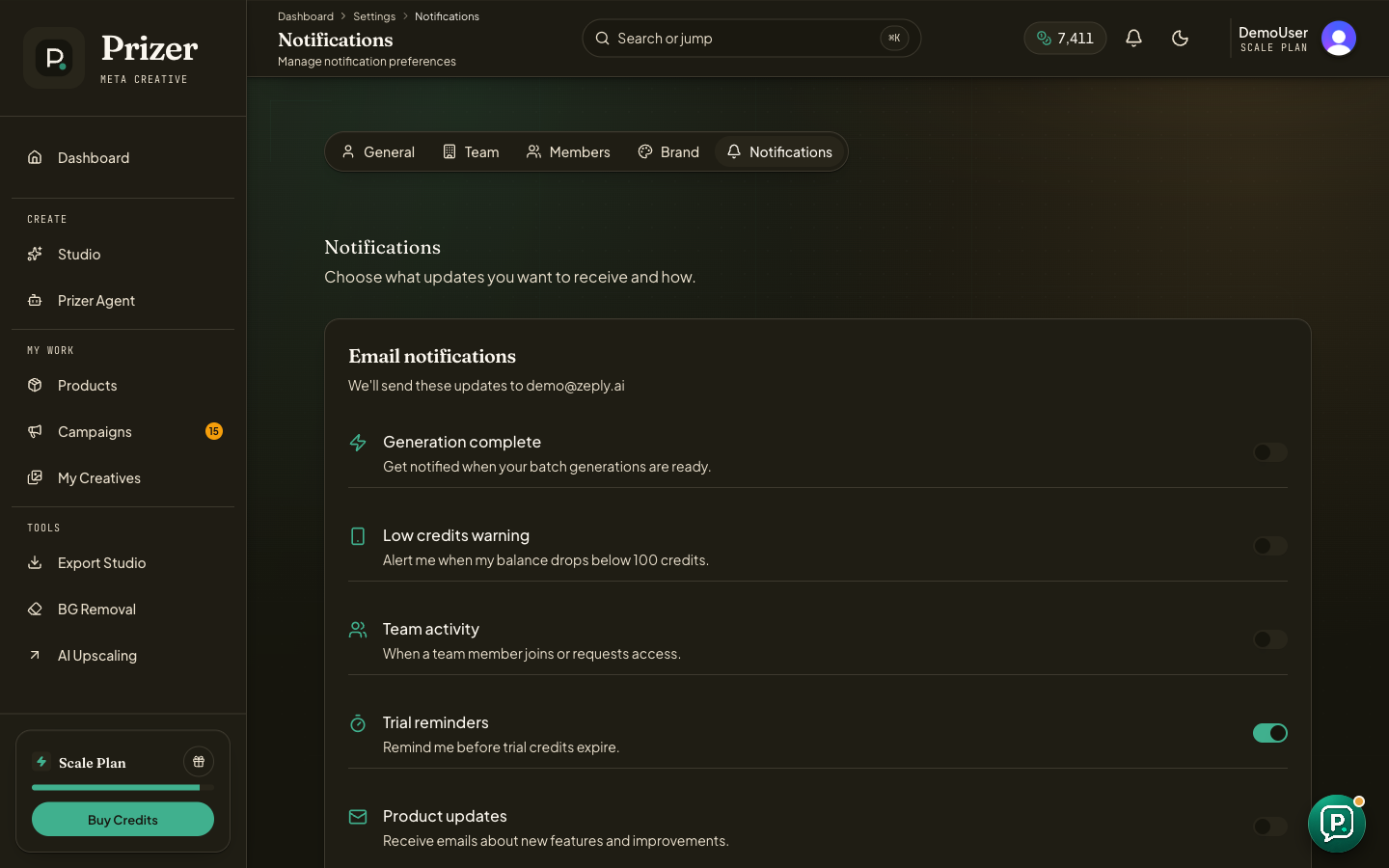
Open Notification settings.
Review each notification group and choose the messages you want to receive.
Keep completion alerts enabled if you rely on email for longer image, video, or campaign jobs.
Save changes before leaving the page when the page asks you to confirm.
Choose useful alerts
Generation completion, video completion, campaign refresh, billing, and team messages serve different jobs. Turn off noise, but keep the alerts that help you know when work is ready or when account action is needed.
If you are not receiving expected emails, check spam filters and confirm the email address on your Prizer account before contacting support.
Can teammates have different notification settings?
Yes. Notification preferences are account-specific. Team settings and member access are managed separately in Team and brand settings.
